SentryPC (Basic, annual licence) review 2027
A cloud-based activity logger and content filter sold by the device rather than the seat — cheap for a handful of machines, and unashamedly covert

Is the SentryPC Worth It?
Cheapest for a few devices. SentryPC is inexpensive and does what it claims, but it is a logging and filtering tool rather than a workforce product, and its covert default sits badly in a workplace. Use it with written notice or not at all.
SentryPC Pros & Cons
- About $5 a device a month on the Professional licence — the cheapest way to cover ten machines
- Content filtering and time-of-day restrictions built in alongside logging
- Cloud console; no server to run
- Simple enough to deploy without IT
- Runs invisibly by default and the worker is given no view of their own data
- Reporting is a log, not an analysis — no workload or focus insight
- Feature set is closer to parental-control software than workforce analytics
What problem does SentryPC solve, and who is it for?
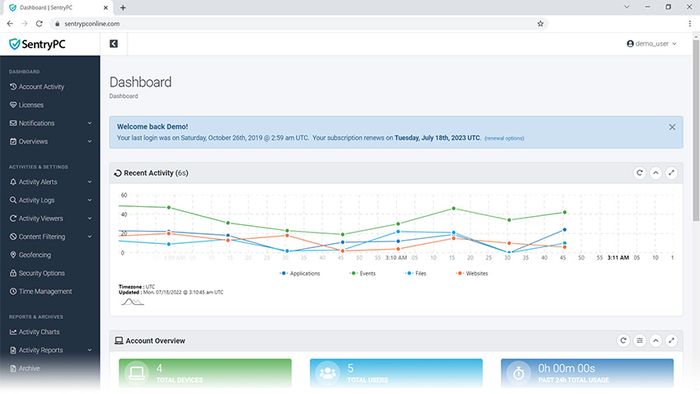
SentryPC is a cloud-based activity logger and content filter sold by the device rather than the seat. The verdict is blunt: it is inexpensive and does what it claims, but it is a logging and filtering tool rather than a workforce product, and its covert default sits badly in a workplace. Use it with written notice or not at all.
That framing matters because the tool is aimed at very small teams and shared-device filtering, not at managers who want to understand workload. It logs activity, filters content and applies time-of-day restrictions, and it runs from a cloud console with no server to run. It is simple enough to deploy without IT.
How did it score in our testing?
Our score of 6 out of 10 comes from five weighted criteria.
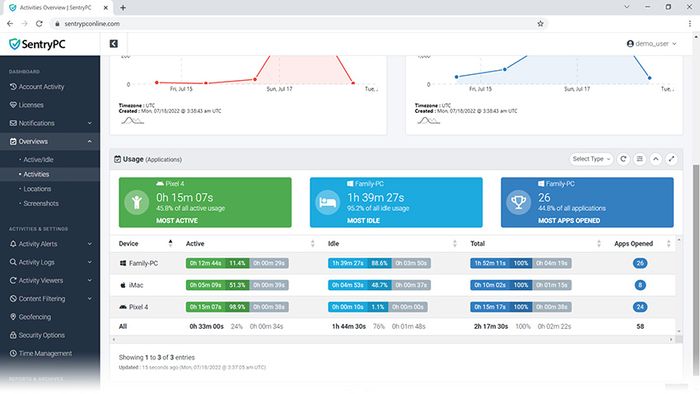
Visibility and accuracy carries 25 points and SentryPC earned 18. This measures whether the activity, app and idle data matched what our five testers actually did over two weeks, and how much it missed on Mac and Linux.
Proportionality and worker rights also carries 25 points, and SentryPC earned 7. This measures whether the worker can see their own data, whether notice is built in, how granular the consent and privacy controls are, and whether a covert mode is offered as the default.
Productivity insight carries 20 points and SentryPC earned 11. This measures reports a manager can act on — focus time, workload balance, burnout signals — rather than raw surveillance.
Deployment and admin carries 15 points and SentryPC earned 11. This measures silent or visible install, platform coverage, directory integration, data retention controls and export.
Value carries 15 points and SentryPC earned 13. This measures monthly price per user for a 20-person team on the plan our test needed.
What does SentryPC do well?
The price is the headline strength. About $5 a device a month on the Professional licence makes it the cheapest way to cover ten machines among the tools we tested.
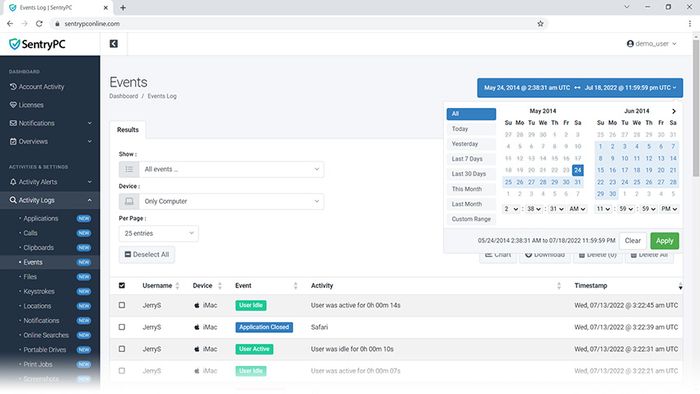
Content filtering and time-of-day restrictions are built in alongside logging, so a shared machine can be limited to particular hours and particular sites without a second product.
It runs from a cloud console, so there is no server to run. Our testers found it simple enough to deploy without IT involvement.
What is SentryPC made of, and what does it record?
The specification is short and specific. Per user pricing is 5 USD/mo, and there is no free plan. Supported platforms are Windows, macOS and Chrome OS, with macOS covered.
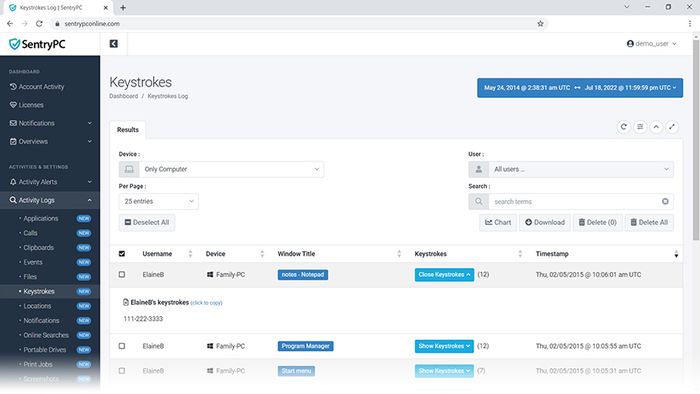
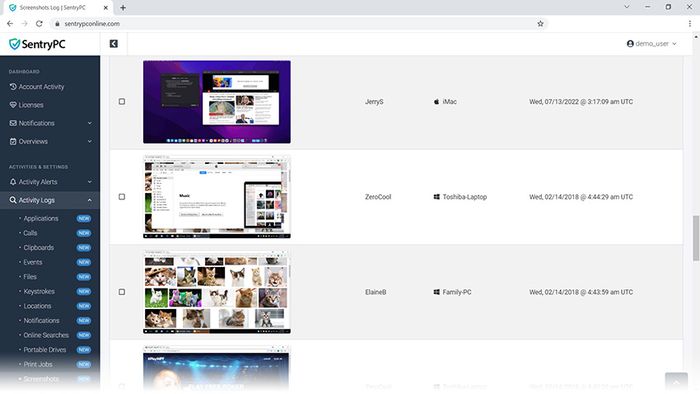
Screenshots are captured on a timed basis. Keystroke logging is full logging, not a count or an activity level. Time tracking is basic.
The worker does not see their own data. That single spec row explains most of the score on proportionality and worker rights, and it is the row to weigh hardest before buying.
How does it compare with the rivals we tested?
ActivTrak scored 8.9 at $10 per user. It is workforce analytics rather than surveillance: every employee gets their own dashboard, there is no keystroke logging, and the reports are about workload and focus. It covers Windows, macOS and Chrome OS, has a free plan for 3 users, optional screenshots off by default, and time tracking with payroll.
Hubstaff scored 8.3 at $7 per user. It is time tracking with optional screenshots and GPS that runs payroll at the end of it, built for contractors and field teams paid by the hour. It covers Windows, macOS, Linux, iOS, Android and Chrome, has a free plan for 1 user, activity level only with no keystroke logging, and a full timesheet and screenshots the worker can see and delete.
Insightful scored 8.3 at $6.40 per user. It is cheap per seat with strong workflow analytics, and a stealth mode it makes rather too easy to turn on. It covers Windows, macOS and Linux, has no free plan but a 7-day trial, configurable-interval screenshots, no keystroke logging, and an optional worker view that is off by default.
Against all three, SentryPC is cheaper per device and the only one of the four with full keystroke logging and no worker view at all. It is behind on analysis in every comparison.
| SentryPC | ActivTrak | Hubstaff | Insightful | |
|---|---|---|---|---|
| Our score | 6.0 | 8.9 | 8.3 | 8.3 |
| Per user | 5 $/mo | 10 $/mo | 7 $/mo | 6.40 $/mo |
| Free plan | No | Yes, 3 users | Yes, 1 user | No (7-day trial) |
| Platforms | Win, Mac, Chrome OS | Win, Mac | Win, Mac, Linux, mobile | Windows, macOS, Linux |
| macOS | Yes | Yes | Yes | Yes |
| Screenshots | Yes, timed | Optional, off by default | Optional, worker can see and delete | Yes, configurable interval |
| Keystroke logging | Yes, full logging | No | Activity level only, no logging | No |
| Worker sees own data | No | Yes | Yes | Optional |
| Time tracking & payroll | Basic | Yes | Yes, with automated payroll | Yes |
Where does SentryPC fall short?
It lost on transparency and on analysis. It runs invisibly by default and the worker is given no view of their own data. Reporting is a log, not an analysis — there is no workload or focus insight. The feature set is closer to parental-control software than workforce analytics.
Is SentryPC good value?
At $5 per user per month it is the cheapest option in this group, and it scored 13 out of 15 on value. The rivals sit above it: ActivTrak at $10, Hubstaff at $7, Insightful at $6.40, Time Doctor at $6.70 and DeskTime at $7. The saving is real, but it buys a logger and filter rather than a workforce product.
Who should buy SentryPC?
It remains right for tiny teams and shared machines needing filtering. If you need to cap what a shared terminal can reach and when, and you want a cloud console with no server, SentryPC does that for about $5 a device a month. If you need to understand how a team spends its time, this is the wrong tool. And if you deploy it, do so with written notice — the covert default is the reason it scored 7 out of 25 on worker rights.
SentryPC at a Glance
Rubric v1: Visibility & accuracy 25 · Proportionality & worker rights 25 · Productivity insight 20 · Deployment & admin 15 · Value 15. Score = Σ ÷ 10, locked Sep 11, 2026. How we rank.
Where to buy — prices checked Sep 11, 2026
SentryPC specifications
Where it loses
Transparency; analysis.
Still the right pick for
Tiny teams and shared machines needing filtering.
What owners say
No reader ratings yet. This block fills in from real submissions only — we never write, buy or generate reader reviews, and none of them touch the editor score.
Every submission is read by a person before it appears. Reader opinion is published separately and never changes our score.