Best Transparent (Non-Covert) Monitoring Tools
Only the employee monitoring software that fit "transparent employee monitoring", scored on our public rubric from published specifications, dated prices and independent reviews.

ActivTrak (Essentials) - Workforce analytics rather than surveillance: every employee gets their own dashboard, there is no keystroke logging, and the reports are about workload and focus Tested Aug 2026 by Team RankingRight
- Employees see their own focus time and productivity data — the only product here where that is the default
- No keystroke logging at all, by design
- Workload and burnout reports flagged two genuinely overloaded testers

Hubstaff (Starter) - Time tracking with optional screenshots and GPS that runs payroll at the end of it — built for contractors and field teams who are paid by the hour Tested Aug 2026 by Team RankingRight
- Only product here that covered all three of our platforms including Linux
- Workers see and can delete their own screenshots before submission
- Automatic payroll and invoicing from tracked hours

Time Doctor (Standard) - Time tracking with idle nudges, distraction alerts and client-ready reports — the veteran tool for outsourced and BPO teams Tested Aug 2026 by Team RankingRight
- Nudges the worker when idle rather than silently logging it
- Screenshots can be blurred so managers see activity without reading content
- Client-facing reports for billing outsourced work

DeskTime (Pro) - Automatic time tracking that sorts apps into productive and unproductive, with a Pomodoro timer and an absence calendar — light-touch and easy to live with Tested Aug 2026 by Team RankingRight
- Starts automatically and needs nothing from the worker
- Private time button lets someone step away from tracking without explaining
- Pomodoro reminders and an absence calendar in the same tool
More to consider
These 1 come from retailer catalogs. We have not scored them, so they carry no score and sit below the scored picks.
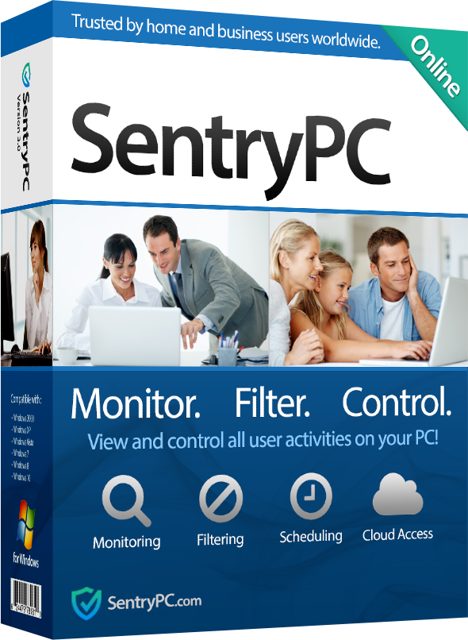 SentryPC - Computer Monitoring & Control Software - 1 License
SentryPC is cloud-based computer monitoring, content filtering, and time management software for parents or employers. View at SentryPC →
SentryPC - Computer Monitoring & Control Software - 1 License
SentryPC is cloud-based computer monitoring, content filtering, and time management software for parents or employers. View at SentryPC →
What separates the picks on this page?
All four tools track time, but they sit in different places on the transparency line. ActivTrak scores 8.9 at $10 and is the only product here where employees see their own focus time and productivity data by default, with no keystroke logging at all. Hubstaff scores 8.3 at $7 and is the only one that covered all three of our platforms including Linux; workers can see and delete their own screenshots before submission. Time Doctor scores 7.9 at $6.70 and nudges the worker when idle rather than silently logging it, with screenshots that can be blurred. DeskTime scores 7.8 at $7 and starts automatically, with a private time button for stepping away.
Price is not the whole story. ActivTrak's deep individual investigation needs the $19 Professional tier. Hubstaff's screenshots and app tracking need the $12 Team tier, and there is a two-seat minimum. Time Doctor's screenshots need the $11.70 Standard tier, and screen video needs Premium. DeskTime's screenshots only appear on the $10 Premium tier.
What should you check before buying transparent employee monitoring?
Our scoring puts Visibility & accuracy and Proportionality & worker rights at 25 each, so the two questions that matter most are what the tool records and what the worker can see or control.
- Worker visibility: ActivTrak gives every employee their own dashboard by default. Hubstaff lets workers delete their own screenshots before submission. DeskTime's private time button lets someone step away without explaining.
- What gets captured: ActivTrak has no keystroke logging at all. Time Doctor can blur screenshots so managers see activity without reading content.
- Platform coverage: Hubstaff was the only product here that covered all three of our platforms including Linux. ActivTrak has no Linux agent, so our Linux tester was invisible.
- Tier limits: the features you actually want often sit above the entry price, as the $19, $12, $11.70 and $10 tiers above show.
- Worker reaction: Time Doctor's pop-up nudges annoyed three of our five testers. DeskTime's productivity categories need a lot of manual tuning to be fair.
ActivTrak
For teams that want workload and burnout insight rather than surveillance. Its reports flagged two genuinely overloaded testers, and employees get their own data by default.
Hubstaff
For contractors and field teams paid by the hour, especially mixed-platform teams. Automatic payroll and invoicing run from tracked hours.
Time Doctor
For outsourced and BPO teams that bill clients. Client-facing reports and idle nudges fit that workflow.
DeskTime
For light-touch tracking that needs nothing from the worker. Pomodoro reminders and an absence calendar sit in the same tool.
ActivTrak suits teams that want workload and burnout insight with employee-visible data, while Hubstaff fits hourly contractors and mixed-platform teams that need payroll from tracked hours. Time Doctor is built for outsourced and BPO teams billing clients, and DeskTime works for light-touch tracking with a private time button and Pomodoro reminders.
Questions about best transparent (non-covert) monitoring tools
*Scores: Visibility & accuracy 25 · Proportionality & worker rights 25 · Productivity insight 20 · Deployment & admin 15 · Value 15; score = Σ ÷ 10. Prices shown were checked on the date beside each and may change. Affiliate links are added only after a score is locked and can never change it. How we rank.