Final Cut Pro (Mac, one-time) review 2027
The fastest editor on a Mac by a wide margin, bought once — the pick for anyone who edits alone on Apple hardware

Is the Final Cut Pro Worth It?
Best video editor for Mac. On Apple silicon nothing else edits or exports as smoothly, and it costs less over three years than a year of Premiere. If your work stays on your Mac, it is the best choice here; if it has to travel, Premiere or Resolve.
Final Cut Pro Pros & Cons
- Fastest 4K export in the test — 3.9 minutes on the M4 Pro
- Magnetic timeline and background rendering keep playback smooth
- One payment; updates have been free since 2011
- Object tracker and transcription built in
- Mac only
- Magnetic timeline divides editors; harder to hand off to Premiere users
- Fewer third-party plugins than Premiere
What problem does Final Cut Pro solve, and who is it for?
Final Cut Pro is built for the editor who works alone on Apple hardware and wants the job finished without a monthly bill. Its tagline calls it "the fastest editor on a Mac by a wide margin, bought once — the pick for anyone who edits alone on Apple hardware." The verdict backs that up: on Apple silicon nothing else in this test edits or exports as smoothly, and it costs less over three years than a year of Premiere. The trade-off is stated just as plainly — if your work has to travel, Premiere or Resolve. It is the number two product in a category of seven tested, and it is aimed squarely at solo editors on a Mac.
How did it score 8.5 out of 10?
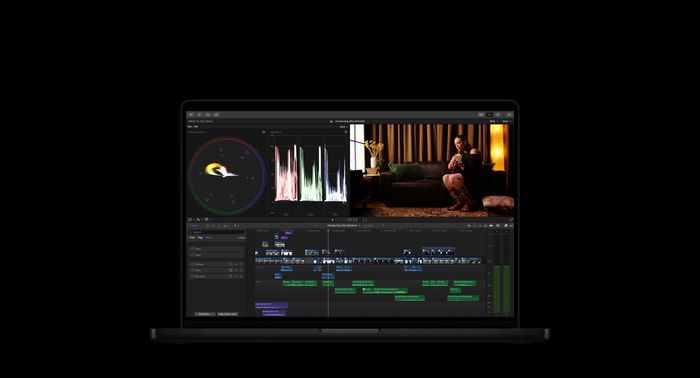
The score comes from five weighted criteria. Editing tools carried the most weight at 30 points, and it took 26 — multicam, keyframing, colour grading, audio, titles and effects were measured against what the project needed and what was missing. Performance was worth 20 and it took all 20, based on timeline playback and export time for the same 4K project on the same two machines. Ease of learning was worth 20 and it took 16, measured by how long a beginner on the team needed to produce a finished 2-minute video. AI and output was worth 10 and it took 8, covering auto-captions, silence removal, text-based editing, export presets and direct publishing. Value was worth 20 and it took 15, judged on price over three years and whether a one-time licence exists.
Where does Final Cut Pro stand out?
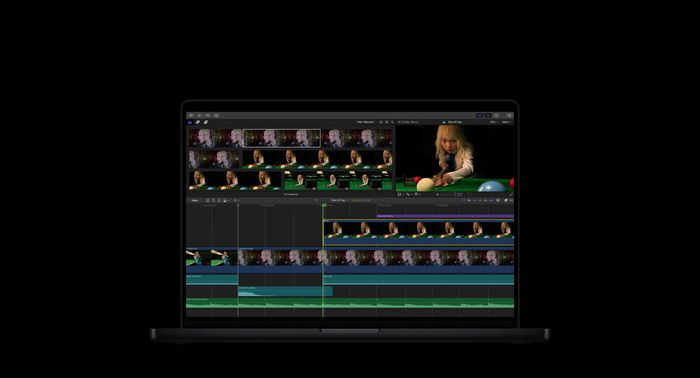
The measured results are the story. It recorded the fastest 4K export in the test at 3.9 minutes on the M4 Pro. The magnetic timeline and background rendering keep playback smooth while you work, and the object tracker and transcription are built in rather than sold as extras. On cost, the measured three-year figure is $299.99 — one payment, with updates free since 2011.
What is inside Final Cut Pro, and what does it run on?
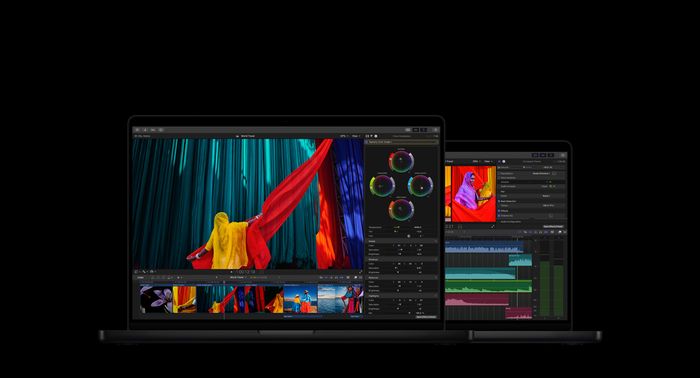
The spec sheet covers eight rows. Price is $299.99 one-time with a 90-day trial. Platforms are Mac and iPad. The free version is that 90-day trial. A one-time licence is available. Multicam is supported. Colour grading is rated good. Auto captions arrive through Transcribe to Captions. Maximum export resolution is 8K.
How does it compare with DaVinci Resolve, Premiere Pro and Filmora?
DaVinci Resolve scored 8.7 and costs nothing, with Studio at $295 once. Final Cut Pro is Mac and iPad only and its colour grading is rated good, so Resolve wins on platform reach and grading depth while Final Cut Pro keeps its export speed and lower learning curve.
Adobe Premiere Pro scored 7.9 at $22.99/mo for a single app on an annual plan, or $59.99/mo for All Apps. It runs on Windows and Mac, has no one-time licence, supports multicam, uses Lumetri colour grading, has best-in-class auto captions and exports 8K+. Final Cut Pro matches the 8K export ceiling and beats it on cost over three years, but Premiere wins on captions and on handing projects to other editors.
Wondershare Filmora scored 8.0 at $49.99/yr or $79.99 perpetual, with AI credits extra. It runs on Windows, Mac, iOS and Android, has a watermarked free version, a one-time licence, basic multicam, basic colour grading, AI auto captions and 4K export. Final Cut Pro is ahead on multicam, colour grading and export resolution; Filmora is ahead on platform spread and entry price.
| Final Cut Pro | DaVinci Resolve | Adobe Premiere Pro | Wondershare Filmora | |
|---|---|---|---|---|
| Our score | 8.5 | 8.7 | 7.9 | 8.0 |
| Price | $299.99 one-time; 90-day trial | Free; Studio $295 one-time (free updates) | $22.99/mo single app (annual); $59.99/mo All Apps | $49.99/yr or $79.99 perpetual; AI credits extra |
| Platforms | Mac, iPad | Win, Mac, Linux, iPad | Win, Mac | Win, Mac, mobile |
| Free version | 90-day trial | Yes | 7-day trial | Yes (watermark) |
| One-time licence | Yes | Yes | No | Yes |
| Multicam | Yes | Yes | Yes | Basic |
| Colour grading | Good | Industry-leading (Color page) | Lumetri (good) | Basic |
| Auto captions | Yes (Transcribe to Captions) | Yes (Studio: AI transcription) | Yes, best-in-class | Yes (AI) |
| Max export | 8K | 4K free; 32K Studio | 8K+ | 4K |
Where does Final Cut Pro fall short?
It is Mac only, which is the first limitation listed. The magnetic timeline divides editors and makes hand-off to Premiere users harder. It also has fewer third-party plugins than Premiere. Those three points are where it lost ground in the test, and they are the honest reasons to look elsewhere if your work leaves your machine.
Is Final Cut Pro worth $299.99?
The price summary is $299.99, and the measured three-year cost is $299.99. Against subscription rivals that figure does not move: Premiere Pro is $22.99/mo for a single app on an annual plan, CapCut Pro is $9.99/mo or $74.99/yr, and Camtasia starts at $179.88/yr with no perpetual licence offered new. Resolve is free with a $295 one-time Studio upgrade, and Filmora offers $49.99/yr or $79.99 perpetual. Final Cut Pro sits in the same one-time-payment group as Resolve Studio and Filmora perpetual.
Who should buy Final Cut Pro?
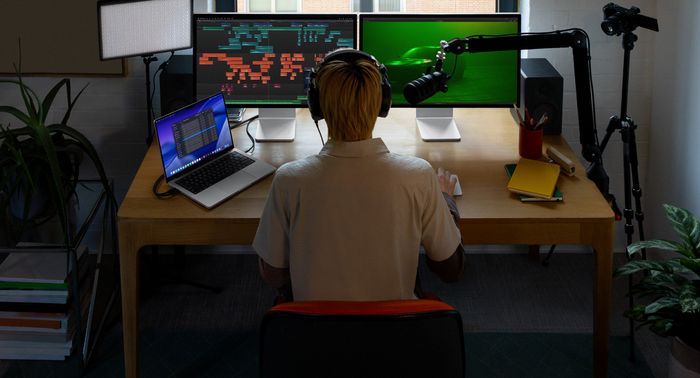
Solo editors on a Mac. That is the audience the verdict names, and the tagline repeats it: the pick for anyone who edits alone on Apple hardware. If your projects stay on your Mac and you want one payment instead of a subscription, this is the fit. If your work has to travel between machines or editors, Premiere or Resolve is the better route.
Final Cut Pro at a Glance
Rubric v1: Editing tools 30 · Performance 20 · Ease of learning 20 · AI & output 10 · Value 20. Score = Σ ÷ 10, locked Sep 11, 2026. How we rank.
Where to buy — prices checked Sep 11, 2026
Final Cut Pro specifications
Where it loses
Mac-only; collaboration.
Still the right pick for
Solo editors on a Mac.
What owners say
No reader ratings yet. This block fills in from real submissions only — we never write, buy or generate reader reviews, and none of them touch the editor score.
Every submission is read by a person before it appears. Reader opinion is published separately and never changes our score.