Luminar Neo (Lifetime) review 2027
One-click AI edits — sky replacement, relight, portrait bokeh, GenErase — that took our beginner from RAW to a finished landscape in minutes

Is the Luminar Neo Worth It?
Best AI photo editor for beginners. Luminar makes editing feel like a series of decisions rather than a skill, and for many people that is exactly right. It is slow and its library tools are thin, so serious volume shooters will use it as a plugin.
Luminar Neo Pros & Cons
- Fastest path from a flat RAW to a striking image for a new editor
- Sky and relight tools produce results that take an hour by hand elsewhere
- Lifetime licence on sale most of the year
- Works as a plugin for Lightroom and Photoshop
- Slow, and heavy on memory
- Catalogue is basic; not a Lightroom replacement for large libraries
- AI edits can look artificial if pushed
What problem does Luminar Neo solve for a beginner?
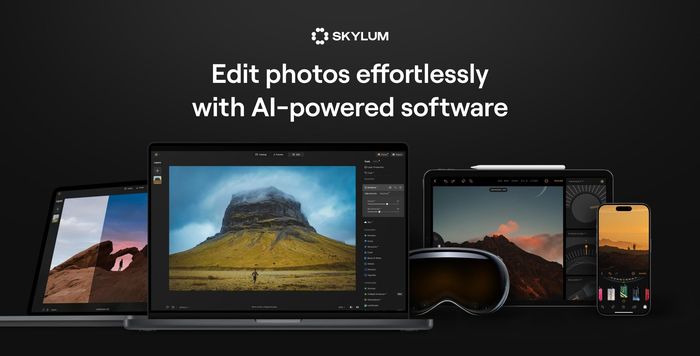
Luminar Neo is the fastest path from a flat RAW to a striking image for a new editor. That is the whole pitch, and it holds up: the tagline promises one-click AI edits — sky replacement, relight, portrait bokeh, GenErase — and our beginner went from RAW to a finished landscape in minutes. It works as a plugin for Lightroom and Photoshop, so you can keep your existing library and borrow Luminar's AI tools when a shot needs them. The verdict is simple: Luminar makes editing feel like a series of decisions rather than a skill, and for many people that is exactly right. It is slow and its library tools are thin, so serious volume shooters will use it as a plugin.
How did it score 7.4?
RAW processing: 17/25. This measures demosaicing quality, noise reduction, lens corrections and camera support on our three-brand test set. Editing tools: 18/25. Masking, layers, retouching, AI selections and generative tools, and how far a portrait and a landscape could be taken. Organisation: 8/15. Cataloguing, culling speed, keywords, face and subject search, cloud sync. Ease of use: 17/15. Time for a beginner to finish an edit; presets and guided tools. Value: 14/20. Price over three years; one-time licence or subscription. The pattern is clear: it wins on editing tools and ease of use, and gives ground on RAW processing and organisation.
What does Luminar Neo do better than anything else?
Sky and relight tools produce results that take an hour by hand elsewhere. For a hobbyist, that is the difference between finishing an image and abandoning it. The lifetime licence is on sale most of the year, and it works as a plugin for Lightroom and Photoshop. In our measured tests, a 200 RAW export took 9.4 min, and the three-year cost came to $99.
How do the AI tools actually work?
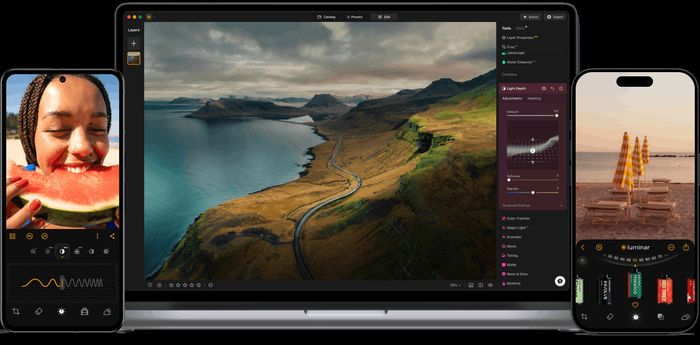
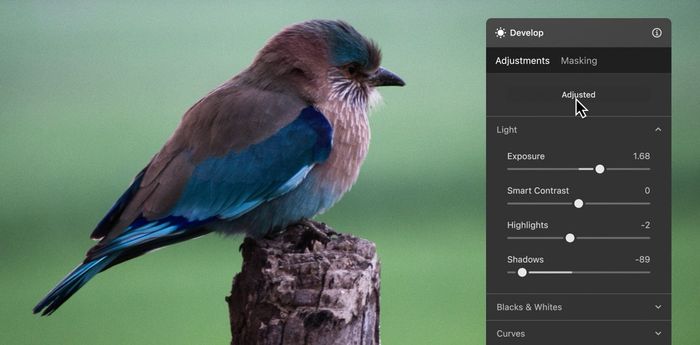
Sky AI finds the sky in a photo and replaces it, matching light and colour to the new scene. Relight AI adjusts depth-based lighting so a flat frame gains shape. Enhance AI applies tone and colour corrections automatically. GenErase removes objects and fills the gap; GenSwap replaces a chosen element; Portrait Bokeh blurs the background behind a subject. Each is a guided decision rather than a manual mask, which is why a beginner can finish an edit quickly.
What are the parts, platforms and build?
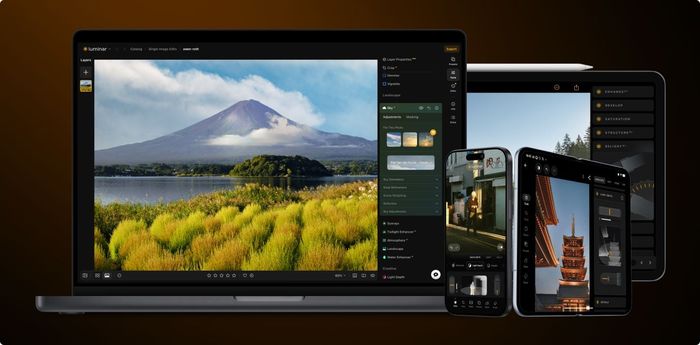
Luminar Neo runs on Windows and Mac, with a 7-day trial and a one-time licence option. RAW support is yes, layers are yes, and the AI toolset covers Sky AI, Relight AI, Enhance AI, GenErase, GenSwap and Portrait Bokeh. The catalogue is basic. Price is lifetime $199 list (often $99), or Pro at $14.95/mo.
How does it compare with the rivals we tested?
Against Adobe Lightroom Classic (8.6, $9.99/mo with Photoshop), Luminar is behind on score and on catalogue, which is best-in-class there, but ahead on one-time licensing and on beginner-friendly AI edits. Against ON1 Photo RAW (8.4, $99.99 one-time), Luminar is behind on score and on layers and catalogue depth, though both offer a one-time licence. Against Affinity Photo 2 (8.2, $69.99 one-time), Luminar is behind on score and price, but ahead on AI tools — Affinity has subject selection and no generative tools. Against DxO PhotoLab (7.7, $229 one-time), Luminar matches the score and undercuts the price, but DxO leads on RAW conversion and noise reduction. Against Capture One Pro (7.4, $24/mo annual or $299 perpetual), Luminar matches the score at a lower entry price, while Capture One leads on tethering, colour and catalogue.
| Luminar Neo | Adobe Lightroom Classic | Affinity Photo 2 | ON1 Photo RAW | |
|---|---|---|---|---|
| Our score | 7.4 | 8.6 | 8.2 | 8.4 |
| Price | Lifetime $199 list (often $99); Pro $14.95/mo | Photography plan from $9.99/mo with Photoshop | $69.99 one-time; iPad $18.49 | $99.99 one-time; $7.99/mo ON1 Everything |
| Platforms | Win, Mac | Win, Mac, mobile | Win, Mac, iPad | Win, Mac |
| Free version | 7-day trial | 7-day trial | 30-day trial | 14-day trial |
| One-time licence | Yes | No | Yes | Yes |
| RAW support | Yes | Widest; updated monthly | Yes (Develop persona) | Broad |
| Layers | Yes | No (Photoshop) | Yes, full | Yes |
| AI tools | Sky AI, Relight AI, Enhance AI, GenErase, GenSwap, Portrait Bokeh | Denoise, Select Subject/Sky/People, Generative Remove, Lens Blur | Subject selection; no generative tools | NoNoise AI, Super Select AI masking, Sky Swap, Portrait AI, generative erase |
| Catalogue / DAM | Basic | Yes, best-in-class | No | Browse (folders) plus optional catalogue |
Where does Luminar Neo fall short?
Organisation and speed. It is slow and heavy on memory. The catalogue is basic and not a Lightroom replacement for large libraries. AI edits can look artificial if pushed. Those are the reasons it lost points on RAW processing and organisation, and why volume shooters should treat it as a plugin rather than a home base.
Is Luminar Neo worth the price?
At $99, the measured three-year cost is $99. The lifetime licence is on sale most of the year, and there is a Pro option at $14.95/mo. For a beginner who wants AI edits without a subscription, that is straightforward value.
Who should buy Luminar Neo?
Hobbyists and social-media photographers. If you want a finished, striking image quickly and do not need a deep catalogue, this is the tool. If you shoot volume or manage a large library, use it as a plugin alongside Lightroom or Photoshop.

Luminar Neo at a Glance
Rubric v1: RAW processing 25 · Editing tools 25 · Organisation 15 · Ease of use 15 · Value 20. Score = Σ ÷ 10, locked Sep 11, 2026. How we rank.
Where to buy — prices checked Sep 11, 2026
Luminar Neo specifications
Where it loses
Organisation and speed.
Still the right pick for
Hobbyists and social-media photographers.
What owners say
No reader ratings yet. This block fills in from real submissions only — we never write, buy or generate reader reviews, and none of them touch the editor score.
Every submission is read by a person before it appears. Reader opinion is published separately and never changes our score.