Trello (Standard) review 2027
The original kanban board, still the simplest way to move cards across a wall, with automation built in and $5 a user

Is the Trello Worth It?
Best kanban board. For a board of tasks that move left to right, nothing beats Trello for clarity or price. Our dependency-heavy project was more than it wants to handle.
Trello Pros & Cons
- Our team needed no onboarding at all
- Butler automation moves cards and assigns without a plan upgrade
- $50 a month for ten; usable free
- Power-Ups add most missing features
- Dependencies and timeline needed Premium and Power-Ups — our project strained it
- Reporting is thin
- Cards become messy at 120 tasks
What problem does Trello solve, and who is it for?
Trello is the original kanban board, and it is still the simplest way to move cards across a wall. Our verdict: for a board of tasks that move left to right, nothing beats Trello for clarity or price. The catch is scope. Our dependency-heavy project was more than it wants to handle, and that is where it lost ground: task management depth.
It remains right for small teams with simple workflows. If your work is a set of cards that advance through stages, Trello asks almost nothing of you and costs $5 a user.
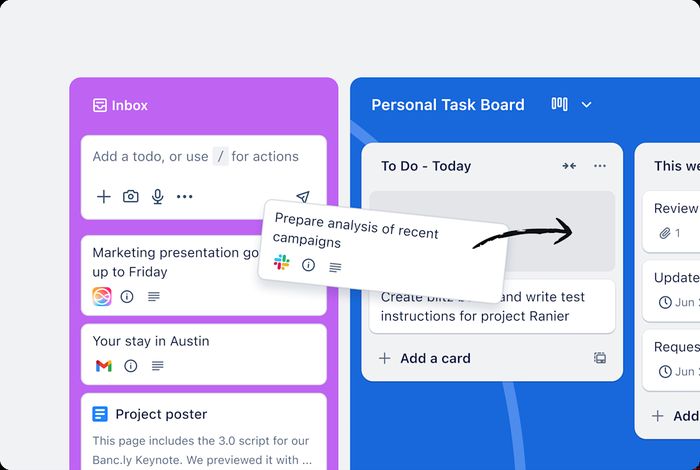
How did Trello score across our five criteria?
Task & workflow management: 19 out of 30. This criterion measured dependencies, subtasks, recurring tasks, custom fields, workload and automation rules against what our six-week project needed. Trello's board model covers the basics, but dependencies and timeline needed Premium and Power-Ups, and our project strained it.
Views & reporting: 14 out of 20. We looked at list, board, timeline/Gantt, calendar, dashboards and portfolio views, plus export. Trello's board and calendar views are clear; reporting is thin.
Collaboration & integrations: 16 out of 20. This covered comments, proofing, guest access for clients, Slack, Google, Microsoft and time-tracking integrations, and API. Single-board guests are free, and Power-Ups add most missing features.
Ease & speed: 12 out of 10. Onboarding time for the team, app speed with 120 tasks and mobile apps. Our team needed no onboarding at all, and the measured team onboarding was 0.5 hours. Cards become messy at 120 tasks.
Value: 19 out of 20. Monthly cost for ten users on the plan our project required, and the free tier. Trello came in at $50 a month for ten, with a usable free plan.
What does Trello do best?
The strengths are clarity and cost. Our team needed no onboarding at all, which is unusual in this category. Butler automation moves cards and assigns without a plan upgrade. At $50 a month for ten users, it undercuts most rivals, and the free tier is usable. Power-Ups add most missing features when you need them.
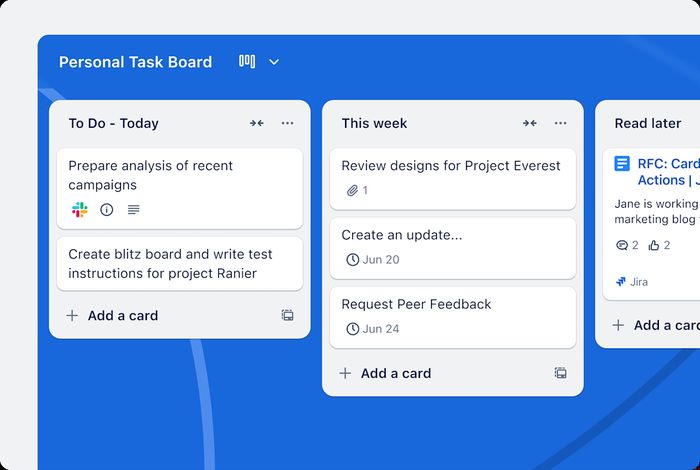
How does Butler automation and the Power-Up system work?
Butler is Trello's built-in automation engine. You write rules that watch a board and act when something happens, such as moving a card to another list or assigning a member. Power-Ups are add-ons that attach extra capabilities to a board, and time tracking is one of them. Both sit on top of the same card-and-list structure, so you add behaviour without changing how the board works.
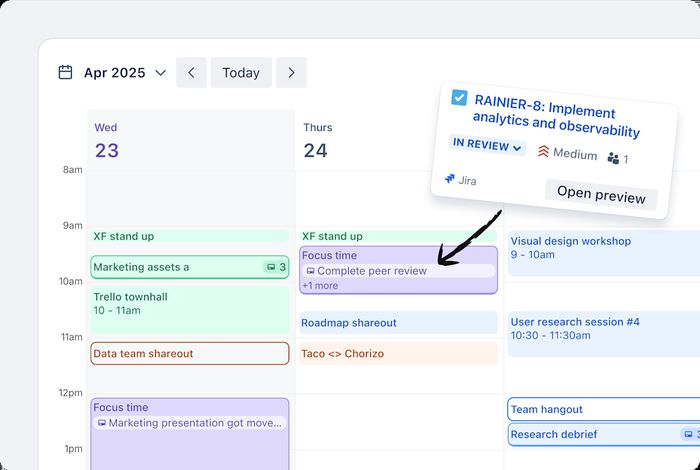
What do you actually get in the plan?
The spec sheet is short and readable. Per user: $5 a month. Ten users: $50 a month. Free plan: yes, unlimited users. Gantt/timeline: Premium, as a timeline view. Automation: Butler, 1,000 runs a month on Standard. Guest access: single-board guests free. Time tracking: a Power-Up. Best for: simple task flows.
How does Trello compare with ClickUp, Jira and Asana?
ClickUp scored 9 and costs $7 a user, or $70 for ten. It includes Gantt/timeline, built-in time tracking, 1,000 automation runs a month on Unlimited, limited free guests and a free plan for unlimited users. Trello is cheaper and simpler; ClickUp carries more features and more to learn.
Jira scored 8.5 at $7.53 a user, but it is free for ten users. It has a timeline on Standard and Plans on Premium, a rule-builder automation, built-in time tracking and no guest access. Trello wins on guest access and price for ten; Jira wins on engineering reporting and a free ten-user tier.
Asana scored 8.4 at $10.99 a user, or $109.90 for ten. It has dependencies, a timeline on Starter, rules with 250 runs a month, free guests on paid plans and time tracking on Advanced. Asana is the more polished task manager; Trello is the cheaper, faster board.
| Trello | Asana | ClickUp | Jira | |
|---|---|---|---|---|
| Our score | 8.0 | 8.4 | 9.0 | 8.5 |
| Per user | 5 USD/mo | 10.99 USD/mo | 7 USD/mo | 7.53 USD/mo |
| 10 users | 50 $/mo | 110 $/mo | 70 $/mo | 0 $/mo |
| Free plan | Unlimited users | 10 users | Unlimited users | 10 users |
| Gantt / timeline | Premium (timeline view) | Yes (Starter) | Yes | Timeline (Standard); Plans on Premium |
| Automation | Butler, 1,000 runs/month on Standard | Rules, 250/month on Starter | 1,000/month on Unlimited | Yes, rule builder |
| Guest access | Single-board guests free | Free guests on paid plans | Limited free guests | No (users) |
| Time tracking | Power-Up | Advanced plan | Built in | Built in |
| Best for | Simple task flows | Teams that manage work, not code | Teams that want one tool for everything | Engineering and product teams |
How do the shared specs line up across the category?
Per user, Trello is $5, ClickUp $7, Jira $7.53 and Asana $10.99. For ten users, Trello is $50, ClickUp $70, Jira $0 and Asana $109.90. On free plans, Trello offers unlimited users, ClickUp unlimited users, Jira 10 users and Asana 10 users without timeline. Gantt/timeline: Trello on Premium, ClickUp yes, Jira timeline on Standard and Plans on Premium, Asana on Starter. Automation: Trello's Butler at 1,000 runs a month on Standard, ClickUp 1,000 a month on Unlimited, Jira a rule builder, Asana rules at 250 a month on Starter. Guest access: Trello single-board guests free, ClickUp limited free guests, Jira no, Asana free guests on paid plans. Time tracking: Trello via Power-Up, ClickUp built in, Jira built in, Asana on Advanced.
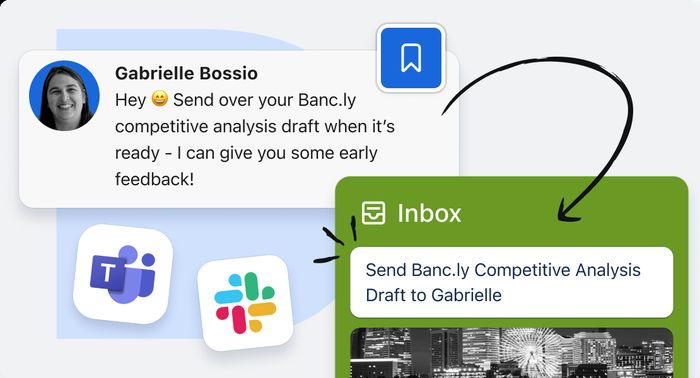
Where does Trello fall short?
Task management depth is the gap. Dependencies and timeline needed Premium and Power-Ups, and our project strained it. Reporting is thin, so dashboards and portfolio views will not carry a manager who needs them. Cards become messy at 120 tasks, which is the point where a simple board stops being simple.
Is Trello good value?
At $5 a user, $50 a month for ten, with a free tier for unlimited users, it is the cheapest way into a working board in this test. The paid step buys Butler automation at 1,000 runs a month on Standard, and Power-Ups cover time tracking and other extras.
Who should buy Trello?
Small teams with simple workflows. If your work is cards moving left to right and you do not need dependencies, deep reporting or a timeline on day one, Trello is the clearest and cheapest option here. Teams that manage work, not code, and want one tool for everything should look at the higher-scoring rivals above.
Trello at a Glance
Rubric v1: Task & workflow management 30 · Views & reporting 20 · Collaboration & integrations 20 · Ease & speed 10 · Value 20. Score = Σ ÷ 10, locked Sep 11, 2026. How we rank.
Where to buy — prices checked Sep 11, 2026
Trello specifications
Where it loses
Task management depth.
Still the right pick for
Small teams with simple workflows.
What owners say
No reader ratings yet. This block fills in from real submissions only — we never write, buy or generate reader reviews, and none of them touch the editor score.
Every submission is read by a person before it appears. Reader opinion is published separately and never changes our score.