Kaspersky Safe Kids review 2027
The cheapest paid parental control by a wide margin, with a free tier that covers filtering and time limits

Is the Kaspersky Safe Kids Worth It?
Cheapest full-featured parental control. On features per dollar nothing here comes close, and the free tier alone beats some paid apps. The US sales restrictions on Kaspersky are the practical problem: check whether you can buy and renew it where you live before relying on it.
Kaspersky Safe Kids Pros & Cons
- $14.99 a year for unlimited devices
- Free tier includes web filtering, app control and time limits
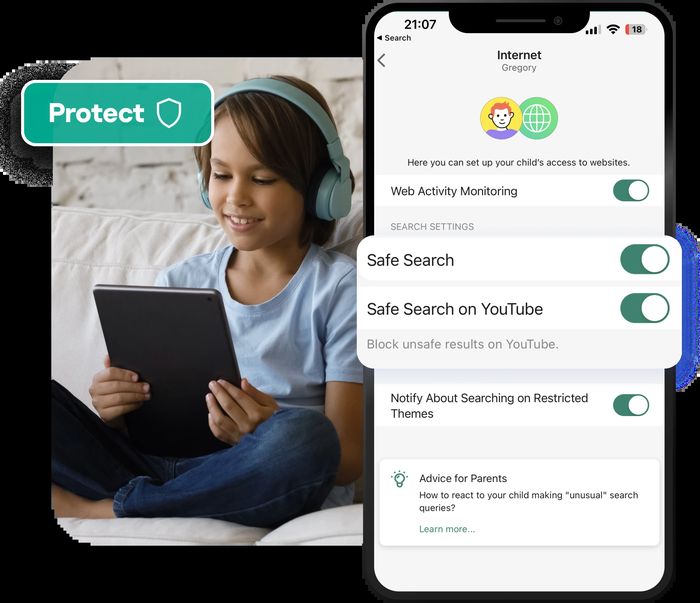
- YouTube search monitoring and safe search
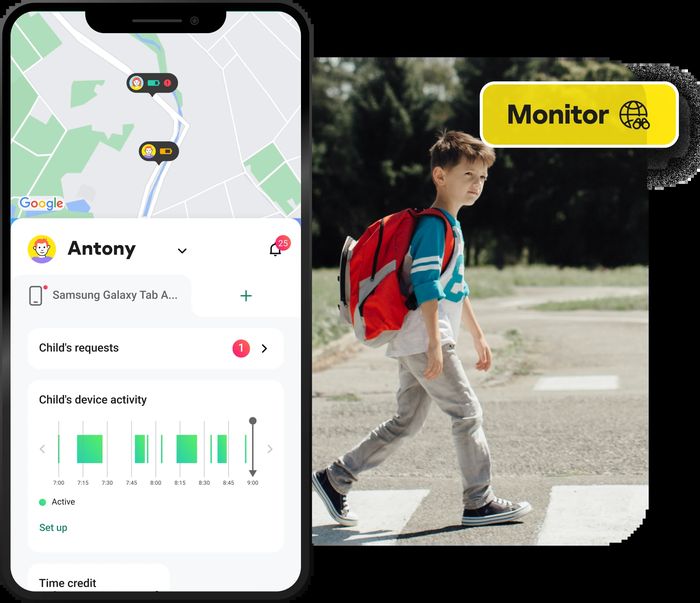
- Battery-level alerts and geofencing on Premium
- iPhone features are more limited than Qustodio's
- No Chromebook
- Kaspersky products are subject to US government restrictions on sale — check availability
What problem does Kaspersky Safe Kids solve?
Kaspersky Safe Kids is the cheapest paid parental control app we tested, at $14.99 a year for unlimited devices, and its free tier already covers web filtering, app control and time limits. That combination is the reason it finished third of seven apps in this category with a score of 7.8. The catch is practical rather than technical: Kaspersky products are subject to US government restrictions on sale, so you need to check whether you can buy and renew it where you live before you rely on it.
How did we score Kaspersky Safe Kids?
We scored it across five criteria, each with its own maximum.
- Filtering & limits: 23/30. We measured web and app filtering accuracy on our 40-item checklist, plus daily limits, schedules and app blocking.
- Monitoring: 13/20. This covers activity reports, location, and where offered alerts on messages and social media.
- Platform coverage: 14/20. How much of the feature set works on iOS, the hardest platform, as well as Android, Windows, Mac and Chromebook.
- Ease of use: 9/10. Setup time per device and how understandable the parent dashboard is.
- Value: 19/20. The annual price for a family of five devices.
The pattern is clear: it loses ground on monitoring and platform coverage, and gives almost nothing away on price or usability.
Where does Kaspersky Safe Kids stand out?
Two things carry this app. The first is price: $14.99 a year for unlimited devices, which is the cheapest paid option in our test. The second is the free tier, which includes web filtering, app control and time limits — enough that some paid apps look thin next to it.
On our 40-item blocking checklist it stopped 32 items, a solid result for the money. Premium adds YouTube search monitoring and safe search, battery-level alerts and geofencing, so you can see when a child's phone is running low or when they arrive at or leave a place you set.
What do you get, and how is it built?
The spec sheet is short and covers the essentials:
- Price: $14.99/yr unlimited devices; free tier
- Devices: Unlimited
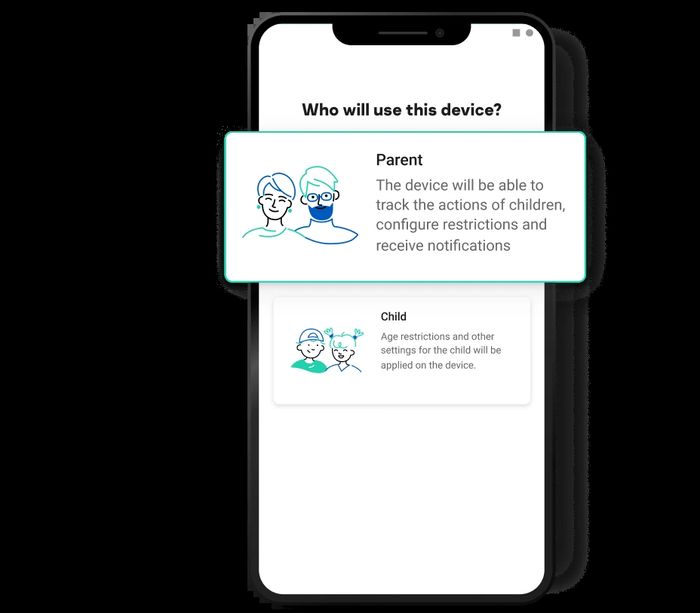
- Platforms: Windows, Mac, Android, iOS
- Free tier: Yes
- Full iPhone support: Partial
- Web filter: Yes
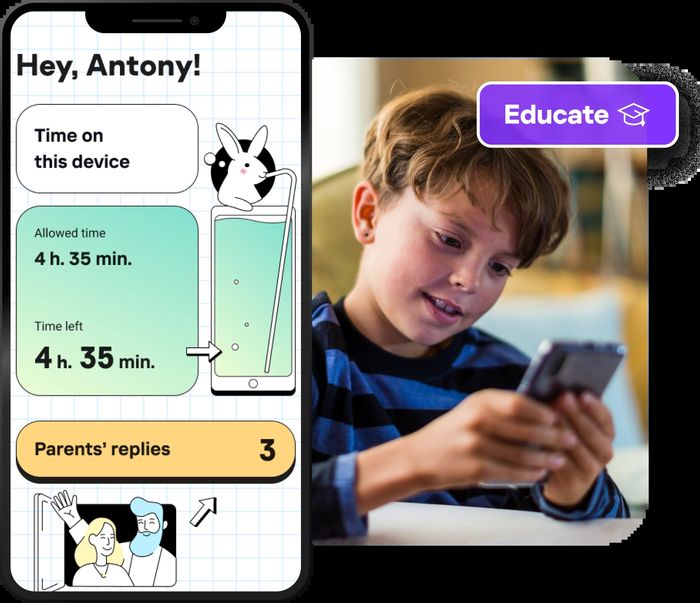
- Screen-time limits: Yes
- Location: Yes (Premium)
- Message & social alerts: No
There is no Chromebook support, and iPhone coverage is partial rather than full, which matters if your family is mixed-platform.
How does it compare with rival parental control apps?
Qustodio scored 8.5 and costs $54.95 a year for five devices on its Basic plan, with a free plan for one device. It supports iOS, Android, Windows, Mac, Chromebook and Kindle, has a category-based web filter, daily limits and schedules, location, and calls and SMS alerts on Android or with the Complete plan. Kaspersky is far cheaper and covers unlimited devices, but Qustodio goes further on iPhone and adds message and social alerts.
Norton Family scored 7.9 at $49.99 a year for unlimited devices, and is included with Norton 360 Deluxe and above. It runs on Windows, Android and iOS with no Mac or Chromebook support, filters 47 categories, and adds School Time plus location with alerts, but no message or social alerts. Kaspersky matches it on unlimited devices for a fraction of the price, while Norton has the stronger filtering category count and the bundle advantage.
Google Family Link is free and scored 7.1, covering unlimited Android and Chromebook devices with app approval, time limits, location and SafeSearch. Its iPhone support is parent-app only. If your household is Android and Chromebook, Family Link costs nothing; Kaspersky adds Windows and Mac coverage and a fuller web filter for $14.99 a year.
| Kaspersky Safe Kids | Qustodio | Google Family Link | Norton Family | |
|---|---|---|---|---|
| Our score | 7.8 | 8.5 | 7.1 | 7.9 |
| Price | $14.99/yr unlimited devices; free tier | Basic $54.95/yr (5 devices); Complete $99.95/yr; free plan for 1 device | Free | $49.99/yr unlimited devices; included with Norton 360 Deluxe and above |
| Devices | Unlimited | 5 | Unlimited Android | Unlimited |
| Platforms | Windows, Mac, Android, iOS | iOS, Android, Windows, Mac, Chromebook, Kindle | Android, Chromebook (parent app on iOS too) | Windows, Android, iOS (no Mac, no Chromebook) |
| Free tier | Yes | Yes | Yes | Trial |
| Full iPhone support | Partial | Mostly | No — parent app only | Mostly |
| Web filter | Yes | Yes, category-based | Chrome SafeSearch and site blocking | Yes, 47 categories |
| Screen-time limits | Yes | Yes, daily limits and schedules | Yes, daily limits and bedtime | Yes, with School Time |
| Location | Yes (Premium) | Yes | Yes | Yes, with alerts |
Where does Kaspersky Safe Kids fall short?
iPhone features are more limited than Qustodio's, and there is no Chromebook support at all. Message and social alerts are absent, which is where Bark and Qustodio pull ahead. The largest caveat is availability: Kaspersky products are subject to US government restrictions on sale, so check that you can buy and renew a licence in your market before you build your family's setup around it.
Is Kaspersky Safe Kids good value?
At $14.99 per year for unlimited devices, the value score of 19/20 reflects how little you pay for a full feature set. Our measured per-year cost is $14.99, and the free tier means you can test filtering and time limits before paying anything. No rival in this test comes close on price for unlimited devices.
Who should buy Kaspersky Safe Kids?
It suits Android and Windows families outside the restricted markets, particularly those who want filtering, app control and time limits without a large annual bill. If your children use iPhones heavily, or you need message and social media monitoring, look at Qustodio or Bark instead.
Kaspersky Safe Kids at a Glance
Rubric v1: Filtering & limits 30 · Monitoring 20 · Platform coverage 20 · Ease of use 10 · Value 20. Score = Σ ÷ 10, locked Sep 11, 2026. How we rank.
Where to buy — prices checked Sep 11, 2026
Kaspersky Safe Kids specifications
Where it loses
iPhone coverage; availability in the US.
Still the right pick for
Android and Windows families outside the restricted markets.
What owners say
No reader ratings yet. This block fills in from real submissions only — we never write, buy or generate reader reviews, and none of them touch the editor score.
Every submission is read by a person before it appears. Reader opinion is published separately and never changes our score.
Changelog: Sep 11 — rank 1 → 2 · all changes