Microsoft OneDrive (Microsoft 365 Personal 1 TB) review 2027
A terabyte bundled with the full desktop Office suite — if you were going to buy Word and Excel anyway, the storage is effectively free

Is the Microsoft OneDrive Worth It?
Best bundled with Office. The maths is simple: if you pay for Office, OneDrive costs nothing extra and works well on Windows. If you do not, better storage is available for the money.
Microsoft OneDrive Pros & Cons
- 1 TB plus desktop Word, Excel, Outlook and PowerPoint for $99.99 a year
- Files On-Demand keeps the library off your local disk
- Deep Windows integration; co-authoring in Office works well
- Family plan gives six people 1 TB each
- No zero-knowledge; Personal Vault is a second factor, not encryption Microsoft cannot break
- Sync has historically struggled with very large folders
- No official Linux client
What problem does Microsoft OneDrive solve?
OneDrive solves a specific problem: you need Word, Excel, Outlook and PowerPoint on your desktop, and you also need somewhere to keep the files those programs create. Microsoft bundles 1 TB of storage with the desktop Office suite for $99.99 a year, so if you were buying Office anyway, the storage arrives at no extra cost. The verdict is blunt about who this suits: Windows households that need Office anyway. If you do not pay for Office, the same money buys better storage elsewhere.
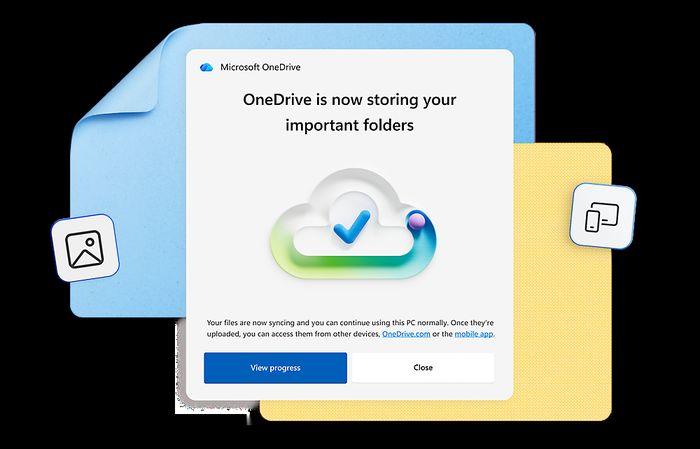
The benefits that matter in daily use are practical rather than dramatic. Files On-Demand keeps your library off your local disk, so a laptop with a small drive can still show every file without downloading it. Co-authoring in Office works well, and the deep Windows integration means the folder behaves like any other folder in File Explorer. The family plan gives six people 1 TB each, which covers a household without anyone sharing a quota.
How did we score Microsoft OneDrive?
We scored OneDrive across five weighted criteria, for a total of 7.6 out of 10.
Sync speed and reliability: 22 out of 25. We timed upload and download of the same 10 GB set over the same 100 Mbps line, three times, and checked conflict handling when two machines edited a file at once. OneDrive's measured 10 GB upload was 17 minutes.
Privacy and encryption: 13 out of 25. This is where the score drops. We looked at zero-knowledge options, where data is held, what the provider can read, published audits and the governing jurisdiction. OneDrive has no zero-knowledge encryption, and Personal Vault adds a second factor rather than encryption Microsoft cannot break. Data is held in the United States.
Features and sharing: 17 out of 20. We assessed selective sync, versioning, file recovery, link sharing with expiry and passwords, and office integration. OneDrive offers 30 days of versioning and 500 versions.
Platform coverage: 9 out of 10. We checked Windows, macOS, Linux, iOS, Android, web and network-drive mounting. There is no official Linux client; third-party clients only.
Value: 15 out of 20. We compared cost per terabyte a year on the plan a household or small team would buy, plus lifetime options. OneDrive has no lifetime plan.
Where OneDrive stands out
The strongest argument for OneDrive is the bundle. For $99.99 a year you get 1 TB plus desktop Word, Excel, Outlook and PowerPoint. If those programs are already on your shopping list, the storage is effectively free, and the Office integration is the reason the sync works as well as it does: co-authoring in Office is smooth, and the Windows integration is deeper than any rival manages.
Speed is respectable rather than class-leading. Our measured 10 GB upload took 17 minutes, which is faster than Sync.com at 24 minutes and Proton Drive at 26 minutes, but behind Google One at 13 minutes and pCloud at 16 minutes.

Files On-Demand is the feature that changes how the service feels. Your full library stays visible in File Explorer while the actual data lives in the cloud, so a small SSD is no longer a limit. Combined with the mobile apps, that means the same files are reachable from a phone, a tablet or a borrowed laptop without planning ahead.
What you actually get: plans, apps and limits
The specification sheet is short and clear. The 2 TB a year plan costs 99.99 USD, though the headline bundle is 1 TB plus Office. Free storage is 5 GB. Our measured 10 GB upload took 17 minutes. Zero-knowledge encryption is not offered; Personal Vault adds 2FA, not end-to-end encryption. File versioning runs for 30 days and keeps 500 versions. There is no official Linux client, only third-party options. Data is held under United States jurisdiction, and there is no lifetime plan.

Client coverage is broad on the platforms Microsoft cares about: Windows, macOS, iOS, Android and the web. Linux users are left to third-party clients, which is a real gap for developers and system administrators.
How OneDrive compares with the rivals we tested
OneDrive scored 7.6, which places it sixth of the eight services we tested in this category. pCloud scored 8.7 at $99.99, with 10 GB free, a 16-minute 10 GB upload, optional zero-knowledge encryption via its Crypto add-on, 30 days of versioning (365 on Extended), a Linux client, Swiss jurisdiction with optional EU servers, and a lifetime plan at 2 TB for $399. On privacy, platform coverage and lifetime options, pCloud is ahead.
Sync.com scored 8.4 at $96, with 5 GB free, a 24-minute upload, zero-knowledge encryption on everything by default, 180 days of versioning (365 on Teams), no Linux client, Canadian jurisdiction under PIPEDA, and no lifetime plan. Sync.com is ahead on privacy and slightly cheaper, but slower in our upload test and without a Linux client either.
Google One (Drive) scored 8.1 at $99.99, with 15 GB free, the fastest upload we measured at 13 minutes, no zero-knowledge encryption, 30 days or 100 versions of versioning, third-party Linux clients only, United States jurisdiction, and no lifetime plan. Google One is faster and gives more free storage, but it also lacks zero-knowledge encryption.
| Microsoft OneDrive | pCloud | Google One (Drive) | Sync.com | |
|---|---|---|---|---|
| Our score | 7.6 | 8.7 | 8.1 | 8.4 |
| 2 TB a year | 99.99 (1 TB + Office) $ | 99.99 $ | 99.99 $ | 96 $ |
| Free storage | 5 GB | 10 GB | 15 GB | 5 GB |
| 10 GB upload (our test) | 17 min | 16 min | 13 min | 24 min |
| Zero-knowledge encryption | No (Personal Vault adds 2FA, not E2E) | Yes, with Crypto add-on | No | Yes, on everything by default |
| File versioning | 30 days, 500 versions | 30 days (365 on Extended) | 30 days or 100 versions | 180 days (365 on Teams) |
| Linux client | Third-party only | Yes | Third-party clients only | No |
| Data jurisdiction | United States | Switzerland (EU servers optional) | United States | Canada (PIPEDA) |
| Lifetime plan | No | Yes, 2 TB for $399 | No | No |
Backblaze Personal Backup scored 7.9 at $99, with no free storage, a 21-minute upload, zero-knowledge encryption with a private encryption key, 30 days of versioning (1 year or forever as add-ons), Linux only via B2, United States jurisdiction, and no lifetime plan. It is backup rather than sync, so it solves a different problem.
Proton Drive scored 7.8 at $119.88, with 5 GB free, a 26-minute upload, zero-knowledge encryption by default, versioning, a Linux client, Swiss jurisdiction, and no lifetime plan. It is more expensive and slower, but stronger on privacy and Linux.
Where OneDrive falls short
Privacy is the clearest weakness. There is no zero-knowledge option, and Personal Vault is a second factor rather than encryption Microsoft cannot break. For anyone storing sensitive documents, that rules OneDrive out against pCloud, Sync.com or Proton Drive.
Sync has historically struggled with very large folders, which matters if you work with video projects or large datasets. And there is no official Linux client, so Linux users depend on third-party software that Microsoft does not support.
Value without Office is the other problem. At $99.99 for 1 TB, you are paying for storage that rivals match or beat while adding privacy features. The bundle only makes sense if you actually use the Office apps.
Is OneDrive good value?
At $99.99 a year, OneDrive costs the same as pCloud and Google One at their comparable tiers, more than Sync.com at $96 and Backblaze at $99, and less than Proton Drive at $119.88. The difference is what you receive: OneDrive includes the desktop Office suite, which none of the rivals bundle. If you value that suite at its standalone price, the storage is effectively free. If you do not, you are paying a premium for 1 TB with weaker privacy than pCloud, Sync.com or Proton Drive.
Who should buy Microsoft OneDrive?
Windows households that need Office anyway. If your household runs Windows machines and you would buy Word, Excel, Outlook and PowerPoint regardless, OneDrive is the sensible choice: the storage comes with software you were already paying for, Files On-Demand keeps local disks clear, and the family plan gives six people 1 TB each.
If you do not need Office, or if privacy is a priority, look at pCloud, Sync.com or Proton Drive instead. They cost similar money or less and offer zero-knowledge encryption that OneDrive does not.
Microsoft OneDrive at a Glance
Rubric v1: Sync speed & reliability 25 · Privacy & encryption 25 · Features & sharing 20 · Platform coverage 10 · Value 20. Score = Σ ÷ 10, locked Sep 11, 2026. How we rank.
Where to buy — prices checked Sep 11, 2026
Microsoft OneDrive specifications
Where it loses
Privacy; value without Office.
Still the right pick for
Windows households that need Office anyway.
What owners say
No reader ratings yet. This block fills in from real submissions only — we never write, buy or generate reader reviews, and none of them touch the editor score.
Every submission is read by a person before it appears. Reader opinion is published separately and never changes our score.
Changelog: Sep 11 — rank 1 → 2 · all changes