iCloud+ (2 TB) review 2027
Invisible on an Apple device: photos, messages, device backups and desktop folders sync themselves, with Advanced Data Protection for end-to-end encryption

Is the iCloud+ Worth It?
Best for Apple households. On an all-Apple household iCloud+ is the least work and now has real end-to-end encryption if you switch it on. Outside that world it barely functions.
iCloud+ Pros & Cons
- Advanced Data Protection makes most iCloud data end-to-end encrypted, which is unusual at this scale
- Device backups, photos, messages and desktop folders with nothing to configure
- Private Relay, Hide My Email and a custom mail domain included
- Shareable with up to five family members
- Windows client is poor and there is nothing for Linux or Android files
- Advanced Data Protection is off by default and must be turned on
- 5 GB free is too small for a single phone backup
What problem does iCloud+ solve for an Apple household?
On an all-Apple household iCloud+ is the least work and now has real end-to-end encryption if you switch it on. Outside that world it barely functions. That is the whole verdict in two sentences: device backups, photos, messages and desktop folders sync with nothing to configure, and the plan is shareable with up to five family members. The catch is the same sentence read backwards — the moment a Windows PC, an Android phone or a Linux machine enters the house, the value collapses.
How did we score iCloud+ across five criteria?
Sync speed and reliability carries 25 points and iCloud+ took 21. We timed upload and download of the same 10 GB set over the same 100 Mbps line, three times, and watched how two machines editing one file at once were handled. Privacy and encryption is also out of 25 and scored 19: we looked at zero-knowledge options, where data is held, what the provider can read, published audits and the governing jurisdiction. Features and sharing, out of 20, gave 16 for selective sync, versioning, file recovery, link sharing with expiry and passwords, and office integration. Platform coverage is out of 10 and returned 7 across Windows, macOS, Linux, iOS, Android, web and network-drive mounting. Value, out of 20, scored 12 on cost per terabyte a year on the plan a household would buy, plus lifetime options. Total: 7.5.
Where does iCloud+ stand out?
Advanced Data Protection makes most iCloud data end-to-end encrypted, which is unusual at this scale. Device backups, photos, messages and desktop folders arrive with nothing to configure. Private Relay, Hide My Email and a custom mail domain are included, and the plan is shareable with up to five family members. Our measured 10 GB upload took 18 min, and the 2 TB tier is $119.88 a year.

How does Advanced Data Protection and Private Relay actually work?
Advanced Data Protection moves the encryption keys for most iCloud data to your devices, so Apple stores encrypted copies it cannot read without your keys. It is off by default and must be turned on. Private Relay sends web requests through two separate relays so no single party sees both who you are and what you visited. Hide My Email generates forwarding addresses that shield your real inbox. The trade-off is recovery: if you lose your keys and your trusted devices, the data is gone.
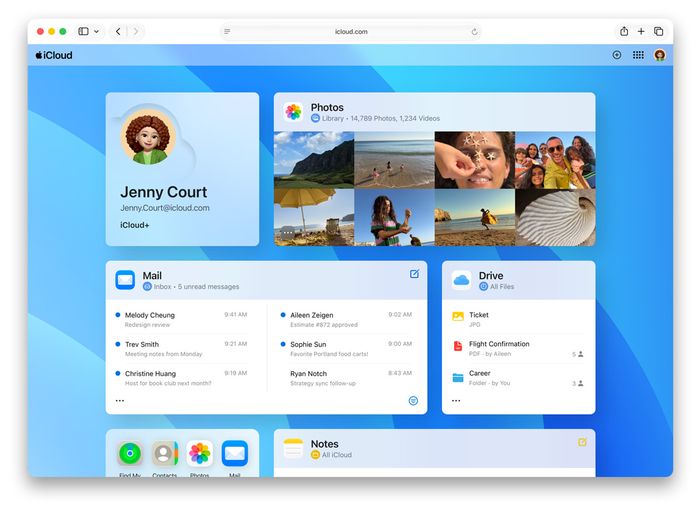
What do you get for the money, and what is the build like?
The 2 TB plan is $119.88 a year. Free storage is 5 GB. Our 10 GB upload test finished in 18 min. Zero-knowledge encryption is available with Advanced Data Protection enabled. File versioning runs 30 days for files. There is no Linux client. Data is held in the United States. There is no lifetime plan. Those eight rows are the entire product surface — there is no hardware, no ports and no materials to assess, only the client apps and the web interface at iCloud.com.
How does iCloud+ compare with the rivals we tested?
pCloud scored 8.7 at $99.99, with 10 GB free, a 16 min 10 GB upload, zero-knowledge encryption via its Crypto add-on, 30-day versioning (365 on Extended), a Linux client, Swiss jurisdiction with optional EU servers, and a 2 TB lifetime plan for $399. Sync.com scored 8.4 at $96, with 5 GB free, a 24 min upload, zero-knowledge encryption on everything by default, 180-day versioning (365 on Teams), no Linux client, Canadian jurisdiction and no lifetime plan. Google One (Drive) scored 8.1 at $99.99, with 15 GB free, the fastest upload we measured at 13 min, no zero-knowledge encryption, 30-day or 100-version history, third-party Linux clients only, US jurisdiction and no lifetime plan. iCloud+ sits at 7.5, ahead of Proton Drive on price and upload speed but behind all three on platform coverage and value.
| iCloud+ | pCloud | Google One (Drive) | Sync.com | |
|---|---|---|---|---|
| Our score | 7.5 | 8.7 | 8.1 | 8.4 |
| 2 TB a year | 119.88 $ | 99.99 $ | 99.99 $ | 96 $ |
| Free storage | 5 GB | 10 GB | 15 GB | 5 GB |
| 10 GB upload (our test) | 18 min | 16 min | 13 min | 24 min |
| Zero-knowledge encryption | Yes, with Advanced Data Protection enabled | Yes, with Crypto add-on | No | Yes, on everything by default |
| File versioning | 30 days for files | 30 days (365 on Extended) | 30 days or 100 versions | 180 days (365 on Teams) |
| Linux client | No | Yes | Third-party clients only | No |
| Data jurisdiction | United States | Switzerland (EU servers optional) | United States | Canada (PIPEDA) |
| Lifetime plan | No | Yes, 2 TB for $399 | No | No |
Where does iCloud+ fall short?
Cross-platform is where it lost. The Windows client is poor and there is nothing for Linux or Android files. Advanced Data Protection is off by default and must be turned on, so the encryption headline only applies after you act. And 5 GB free is too small for a single phone backup, which means the free tier is effectively a trial rather than a usable plan.
Is iCloud+ good value at $119.88 a year?
The 2 TB plan costs $119.88 a year, the highest annual price among the tested rivals here, and there is no lifetime option to buy your way out of the subscription. The value criterion returned 12 out of 20 on cost per terabyte a year and lifetime options. If you already pay for Apple devices and use the family sharing, the bundled Private Relay, Hide My Email and custom mail domain offset some of that; if you do not, you are paying a premium for storage alone.
Who should buy iCloud+?
Households entirely on Apple devices. That is the exact fit: iPhones, iPads and Macs, backups and photos that sync themselves, up to five family members on one plan, and Advanced Data Protection switched on for end-to-end encryption. If any machine in the house runs Windows, Linux or Android, look at pCloud, Sync.com or Google One instead.
iCloud+ at a Glance
Rubric v1: Sync speed & reliability 25 · Privacy & encryption 25 · Features & sharing 20 · Platform coverage 10 · Value 20. Score = Σ ÷ 10, locked Sep 11, 2026. How we rank.
Where to buy — prices checked Sep 11, 2026
iCloud+ specifications
Where it loses
Cross-platform.
Still the right pick for
Households entirely on Apple devices.
What owners say
No reader ratings yet. This block fills in from real submissions only — we never write, buy or generate reader reviews, and none of them touch the editor score.
Every submission is read by a person before it appears. Reader opinion is published separately and never changes our score.
Changelog: Sep 11 — rank 5 → 6 · all changes